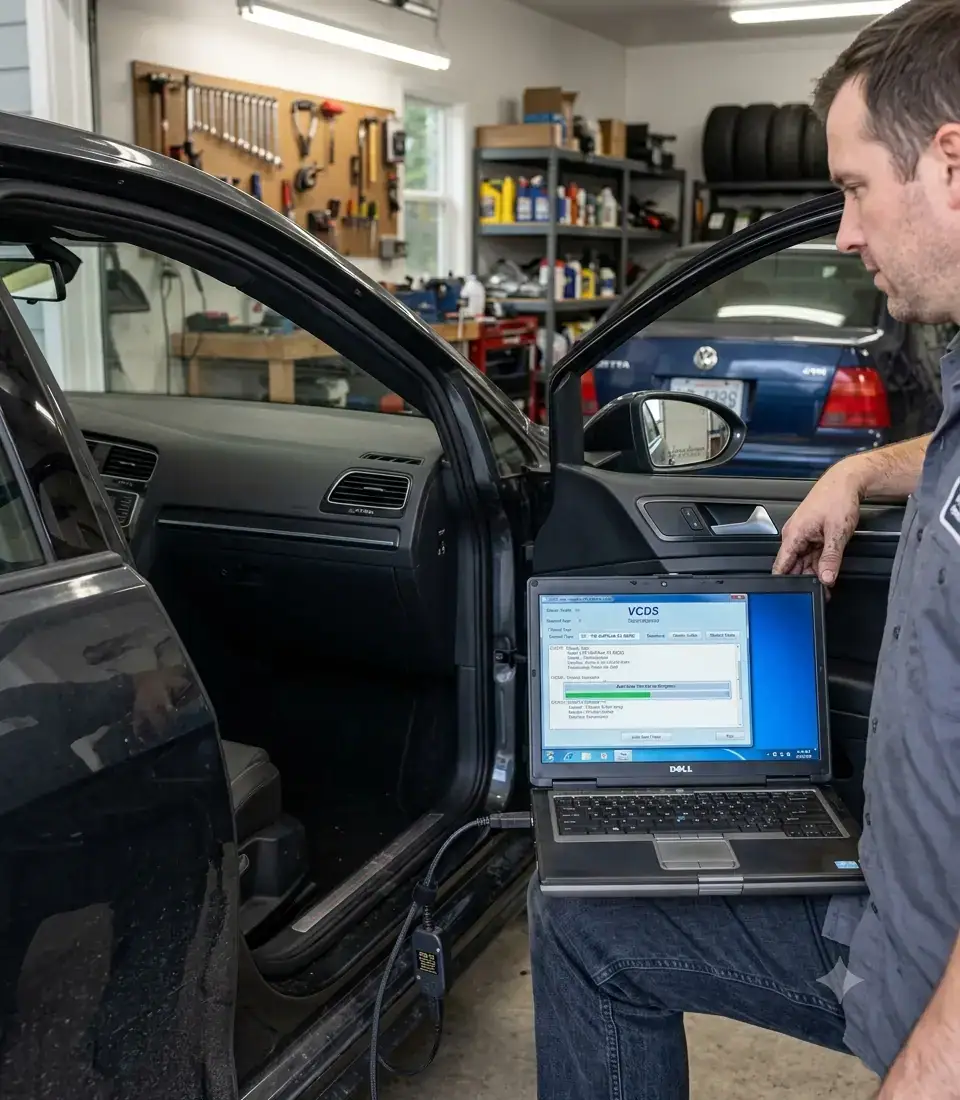
If you own a Volkswagen or Audi and you’ve spent any time searching for “check engine light fix” or “how to read VW fault codes,” you’ve probably run into the term VCDS within the first few results. Maybe someone in a forum told you “just get VCDS” without explaining what that actually means, what it costs you in time and money, or whether it’s even the right tool for what you’re trying to do.
This guide is the starting point to learn a diagnostic tool equivalent to a VW dealer scanner. Before we touch a single fault code, calibrate a wastegate, or dig into live sensor data, you need a clear, honest understanding of what VCDS is, where it came from, and what it can – and can’t – do for you.
What VCDS Actually Is
VCDS stands for VAG-COM Diagnostic System. It’s a Windows‑based diagnostic software application, built specifically for Volkswagen Auto Group (VAG) vehicles – that means Volkswagen, Audi, SEAT, and Škoda – developed and sold by a company called Ross-Tech (no hyphen in the company name, though you’ll sometimes see it written with one).
Unlike a generic code reader you’d pick up at an auto parts store, VCDS doesn’t just talk to the engine control unit (ECU). It communicates with nearly every electronic control module in your car: the transmission, ABS, airbag system, body control module, instrument cluster, climate control, and more. Where a basic OBD‑II scanner gives you a narrow window into emissions‑related engine codes, VCDS gives you the same depth of access that dealership technicians use – module‑by‑module, system‑by‑system.
At its core, VCDS is a translator. Your car’s modules are constantly generating data – sensor readings, fault memory, adaptation values, coding parameters – but that data is locked inside proprietary VAG communication protocols. VCDS decodes it, displays it in a format a human can actually read, and in many cases lets you write changes back to the vehicle (calibrations, coding, adaptations).
Note: VCDS runs on Windows PCs. Ross-Tech also offers a companion app called VCDS-Mobile (for Android and iOS) when using the HEX-NET wireless interface, but the full diagnostic power and most advanced features are still accessed through the Windows software. This guide focuses on the Windows version, which is what you’ll use for serious diagnostics.
A Brief History of VAG‑COM and VCDS
The tool has roots going back to the late 1990s, when Volkswagen’s diagnostic protocols were still primarily accessible only to dealership‑level equipment. Independent developers and enthusiasts reverse‑engineered enough of the communication protocol to build early versions of what became known as VAG‑COM – a shareware tool that let independent shops and serious DIYers access the same fault memory dealers could see.
Ross-Tech, the company behind the software, formalized and commercialized this work, eventually rebranding the product as VCDS to reflect its evolution beyond a simple code reader into a full diagnostic platform. Over two decades, VCDS has tracked the evolution of VAG’s electronic architecture – from early CAN bus systems through today’s UDS‑based (Unified Diagnostic Services) modules on modern MQB and MLB platforms. This matters practically: a tool built once and never updated would be useless on a modern EA888 Gen 3 engine. VCDS has stayed current because Ross-Tech continues to reverse‑engineer and support new module software as VAG rolls out new platforms.
That history is part of why VCDS has the reputation it does in the VW/Audi community. It wasn’t built by a generic scan‑tool company trying to cover every manufacturer. It was built – and is still maintained – specifically around the way Volkswagen Auto Group engineers their vehicles.
VCDS vs. Generic OBD‑II Scanners
This is the question I get asked most often, so let’s be direct about it.
A generic OBD‑II scanner (the kind you’d use across a Toyota, Ford, or Honda) is built to the SAE OBD‑II standard – a federally mandated baseline that every manufacturer must support for emissions‑related diagnostics. It reads a standardized set of “P” codes from the engine and transmission and not much else.
VCDS goes far beyond that baseline:
- Module coverage: Generic scanners typically only reach the engine and sometimes transmission. VCDS reaches virtually every module on the vehicle’s CAN (Controller Area Network) and LIN (Local Interconnect Network) buses – ABS, airbag, gateway, body control, instrument cluster, HVAC, steering assist, and more.
- Manufacturer‑specific fault codes: Beyond the standardized SAE codes, VAG vehicles generate proprietary fault codes that a generic scanner simply won’t recognize or will display as vague, unhelpful text.
- Live measuring values: VCDS exposes detailed, module‑specific live data streams – not just the generic PIDs required by the OBD‑II standard, but manufacturer‑specific values like wastegate actuator position, fuel trim correction per injector, or steering angle sensor calibration status.
- Adaptation and coding access: This is the biggest differentiation. Generic scanners read; they don’t write. VCDS lets you perform adaptations (re‑learning procedures after part replacement), basic settings (calibration routines), and long coding (changing how a module behaves – enabling or disabling features, adjusting configuration bytes).
- Depth of fault data: Where a generic scanner might tell you “P0299 – Turbocharger Boost Pressure Not Detected,” VCDS gives you the freeze frame data, fault frequency, environmental conditions at the time of the fault, and often multiple related codes across different modules that paint a full diagnostic picture.
Place pictures of VD700 and VCDS screen
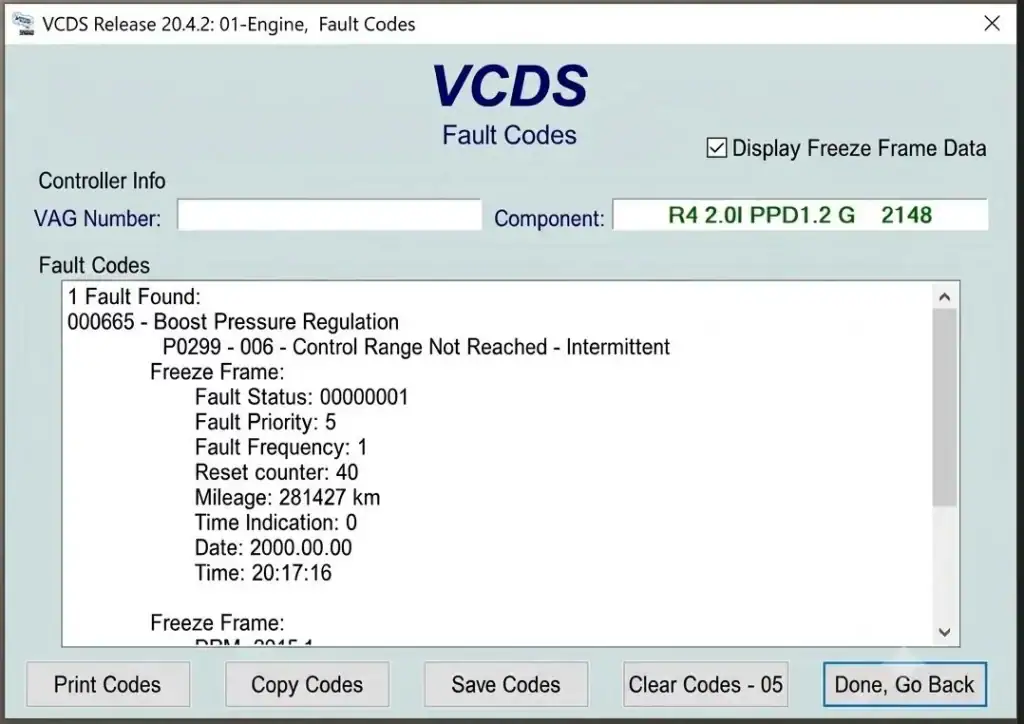
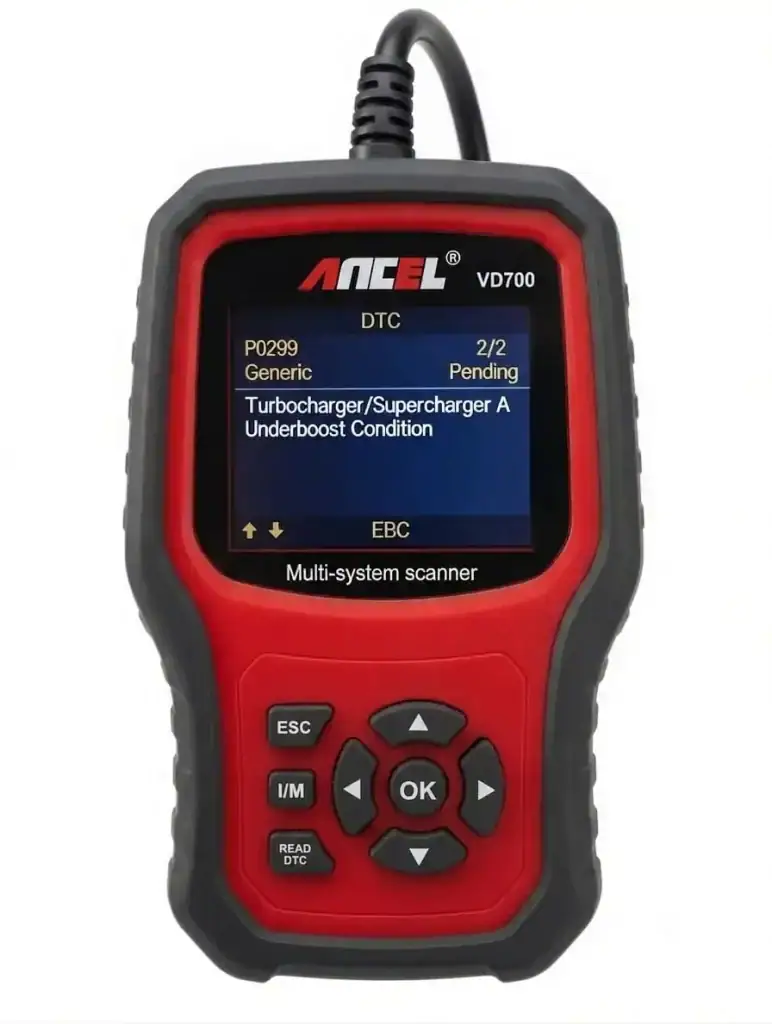
In short: a generic scanner tells you that something is wrong. VCDS is built to help you figure out why, and in many cases, lets you actually fix the underlying configuration issue rather than just clearing a light.
What VCDS Can and Cannot Do
I want to be upfront here, because there’s a lot of hype around this tool and I’d rather you have realistic expectations from the start.
What VCDS can do:
- Read and clear fault codes across nearly every module in the vehicle
- Display live measuring values and log them for analysis
- Perform manufacturer‑specified basic settings and adaptations (throttle body, DSG clutch adaptation, steering angle calibration, and more)
- Perform long coding changes to enable, disable, or reconfigure vehicle features
- Run output tests to verify actuators and components are functioning
- Generate detailed scan reports useful for diagnosis, pre‑purchase inspections, and documentation
- What VCDS cannot do:
- It cannot physically repair anything. VCDS is a diagnostic and configuration tool – it tells you what’s wrong and, in some cases, lets you reconfigure software parameters, but it will not replace a failed sensor, a worn clutch pack, or a cracked vacuum line.
- It is not a substitute for mechanical knowledge. Reading a fault code correctly still requires understanding the system behind it. A P0299 boost pressure code doesn’t diagnose itself – you still need to understand the turbocharger, wastegate, and boost control system to interpret what the data is telling you.
- It does not guarantee safe outcomes if used carelessly. Certain coding changes and adaptations, if performed incorrectly or on the wrong module, can cause real problems – from minor feature glitches to, in rare cases, module corruption that requires professional recovery. We’ll cover this in detail in the third article.
- It is not designed for non‑VAG vehicles. If you own a Toyota or a Ford, VCDS has essentially nothing to offer you.
Who Should Use VCDS
VCDS serves a wide range of users, and it’s worth being honest about where you might fit:
- DIY owners who want to understand what’s actually happening with their vehicle before paying a shop, or who want to perform maintenance‑related coding and adaptations that dealers charge a premium for.
- Independent technicians and shops who work on VAG vehicles regularly and need dealer‑level diagnostic depth without dealer‑level software costs.
- Enthusiasts and modifiers who want to unlock or adjust factory‑coded features, or who are tuning and need to monitor live engine data.
- Pre‑purchase inspectors who use a full auto‑scan to check a used VW or Audi for hidden fault history before buying.
If you’re a casual owner who just wants occasional confirmation of a check engine light, a basic OBD‑II reader might be enough. But if you’re serious about understanding your VAG vehicle at the level this site is built around – real diagnostic reasoning, not just clearing lights – VCDS is the tool that makes that possible.
What Does VCDS Cost – and What Hardware Do You Need?
This is the first practical question most beginners ask, and it’s important to address it early. VCDS is not free – it’s a professional‑grade tool with a price to match.
Ross‑Tech sells interfaces (the physical cable or wireless dongle that connects your car to your computer) that include a license for the software. Pricing (as of 2026) breaks down like this:
The following Comparison Chart may also help:
| HEX-V2 | HEX-NET | |
| USB Connectivity | Yes | Yes |
| WiFi Connectivity | No | Yes |
| Includes VCDS-Mobile | No | Yes |
| DoIP Support | No | Yes |
| Works with Modern Lamborghini | No | Yes |
| Available 3-VIN Enthusiast Version | Yes $199 | No |
| Available 10-VIN Enthusiast Version | Yes $299 | Yes $449 |
| Available Unlimited-VIN Professional Version | No | Yes $649 |
BEWARE OF COUNTERFEIT CABLES – Cheap $20–$50 “VCDS” cables sold on eBay, AliExpress, or Amazon are pirated clones. They often fail mid-diagnosis, can damage your car’s diagnostic port, and won’t receive software updates. Ross-Tech actively blocks clones with each new software release. Only buy directly from Ross-Tech or an authorized distributor.
There are two main interface families:
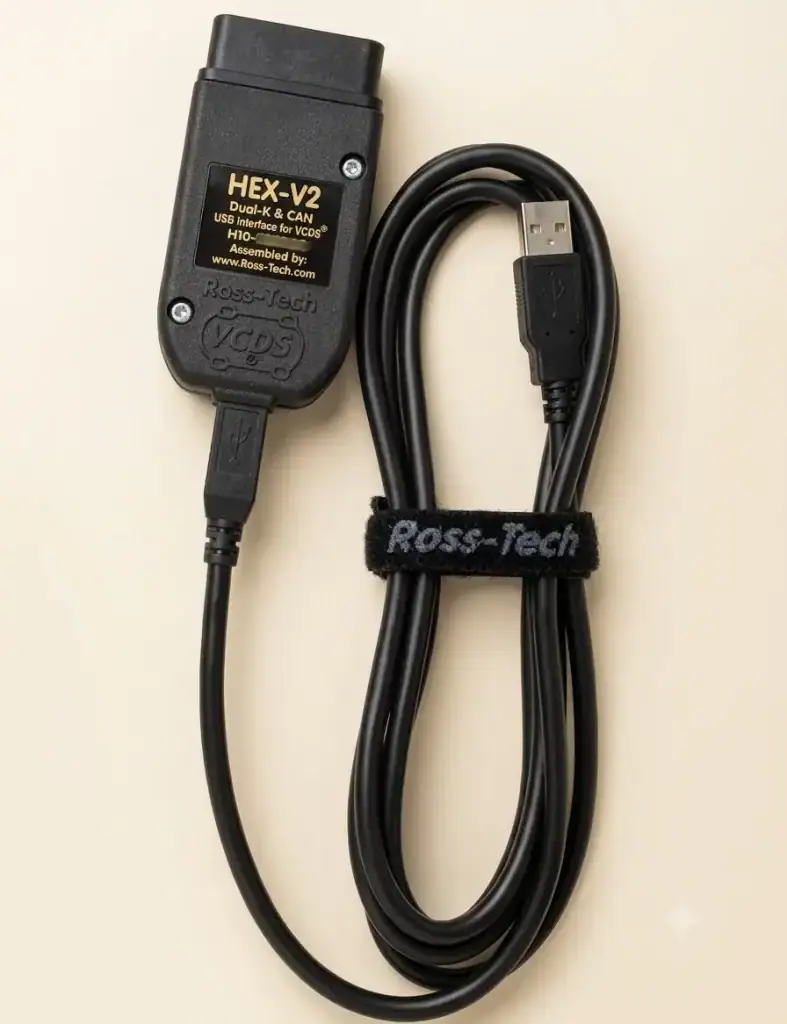
HEX‑V2 – USB cable for wired connection (most common for DIYers). Tops out at 10‑VIN — there’s no unlimited HEX‑V2 option.
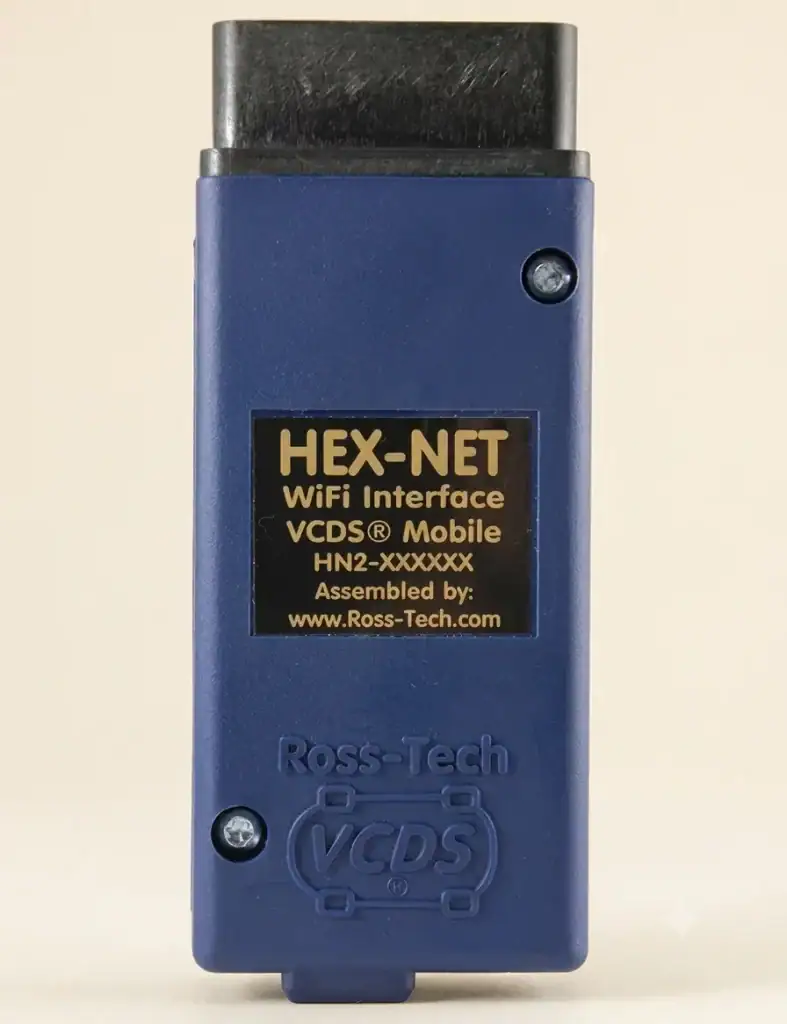
HEX‑NET – Wireless (WiFi) interface that also works with VCDS‑Mobile, and is the only interface that offers an Unlimited‑VIN tier.
VIN‑limited interfaces can be upgraded later: 3‑VIN to 10‑VIN, or 10‑VIN to Unlimited, for a flat $169 upgrade fee.
We’ll dive deep into hardware selection in Article 4 – but for now, know that the HEX‑V2 3‑VIN version is usually sufficient for a single household.
Common Applications
To make this concrete, here are the situations where VCDS gets used most often in real‑world VW/Audi ownership:
- Diagnosing a check engine or warning light before a repair, rather than guessing at parts
- Performing a full auto‑scan on a used vehicle before purchase to reveal fault history across every module
- Completing required adaptations after replacing components (throttle body, battery, DSG clutch, etc.) – many repairs aren’t actually complete without this step
- Monitoring live sensor data to confirm a repair worked, or to catch an intermittent problem in the act
- Coding optional features that are present in the hardware but disabled from the factory (e.g., coming‑home lights, needle sweep, automatic locking)
- Documenting fault history and repair verification for personal records or resale
Where We Go From Here
Understanding what VCDS is matters more than most beginners realize, because it sets the foundation for how you’ll approach every diagnostic situation on this site. In the next article, we’ll go one level deeper into the actual electronic architecture VCDS is talking to – the engine ECU, transmission ECU, ABS module, gateway, and the CAN/LIN bus networks that tie them all together. Understanding that structure is what turns VCDS from “a tool that shows numbers” into a system you can actually reason through.
If you’re planning to buy your first VCDS interface, don’t skip ahead yet – Article 3 on safety and best practices, and Article 4 on choosing the correct hardware, are both required reading before you plug anything into your vehicle.
Leave a Reply